6.9.11. HTTP Basic Auth problems that affect Zope (2 and 3) in Safari 5.1, Mac OS X Lion

One very frustrating experience that I encountered after upgrading to OS X Lion (10.7) was that Safari 5.1, as included in Lion, would constantly pop up basic-authentication dialog boxes on our CMS sites, which are based on the Zope Toolkit (kind of between Zope 3.4 and Bluebream). Just about every page in our admin UI would do this. To get around this, I switched to Firefox for interacting with our admin screens, but still used Safari as my primary browser (better OS X citizen, takes advantage of Lion features which I enjoy, bookmark syncing, etc). This lead to problems as Firefox could get pushed way back in the usage stack and would be paged out, and it did NOT like to wake up after long periods of inactivity.

A couple of days ago I decided to take another look at the WebKit project as I was certain that I was not the only person having this issue. And I found a bug that had been recently closed relating to this issue. It's WebKit bug 66354 and it's resolution is in the WebKit nightly builds since at least September 2, 2011.

Apparently this only affects OS X Lion as it has to do with low level CFNetwork changes in Lion. The bug occurs not with basic auth, exactly, as I was able to use other systems behind basic auth. The bug occurs when there are redirects with Basic Auth, which our CMS uses a fair bit in its admins for basic navigation links.

As of OS X 10.7.1 and its Safari (Version 5.1 (7534.48.3)) this is broken. If you use OS X Lion and Safari and encounter HTTP Basic Auth problems, I'd recommend switching to the nightly builds.


Labels: , , ,

19.8.11. PyFlakes and BBEdit, kind of together (at last?!)

I've recently returned to BBEdit as my primary development editor after spending the past few years with the increasingly neglected TextMate. One thing that I missed from TextMate was some nice 'PyFlakes' integration. Since adding PyFlakes to my daily workflow in TextMate, either through the 'PyCheckMate' option or via the 'PyFlakes On Save' option (which popped up in a tooltip), my module imports have been cleaner and refactorings have gone more smoothly as I can catch forgotten names and imports in moved code.

The first thing I did when I moved to BBEdit was to rig up a quick script that ran PyFlakes and bound it to command-shift-V (V for Verify, or validate), based on the PyFlakes-On-Save TextMate command (which I found in a Zope bundle, I think). My script just dumped the results into a new BBEdit 'Unix Script Output' text document window. It worked, but was not particularly helpful. BBEdit has a 'check syntax' command built in that will catch SyntaxErrors in a python file, and its results go into the 'search results' window which allows you to step through the errors nicely in a dedicated window. I remember using something like this with Emacs and things that modified Make-mode to jump to error results in unit tests, making it easy to step through failures with a single key-chord.

Well today, I finally found how to get my results into that window. The script is now up on GitHub in Gist 1157742.


Labels: , ,

15.8.11. New Synthesizer Purchase, and near-future music ideas

I bought another synth and am just waiting for it to arrive. I bought the Akai MiniAK after seeing a friend, himself quite an accomplished ‘experimental music’ composer, get quite delighted after purchasing one. I’m also exploring a new collaborative electronic music project, possibly quite club oriented, that may also do some live shows in the future. For myself, I’m interested in doing this without a computer. My laptop is getting quite aged and I don’t have the desire (or funds), yet, to replace the studio iMac with a Macbook Pro that could venture out on occasion while retaining the master keys for my suite of software. Granted, with my software suite, I could do pretty amazing things, but I’m more of a tweaker here than a performer.

I’ve been interested in getting a keyboard synth for a while now. I have a keyboard USB MIDI controller and in theory I could just attach it to my Korg MS2000BR rack mountable module. I have no power adapter for this controller (it prefers USB power and I haven’t bothered looking for an AC adapter for it), and the MS2000BR is cool, but the two pieces of gear together are a bit beefy.

I’ve considered the microKORG, partially for its kitsch value, partially because it is an interesting synth. But it’s essentially the MS2000BR in a toy-ish package, and I already have that engine in a more complete synth. Since I haven’t done much programming with the MS2000BR, I sometimes wish I had bought the microKORG instead. Then again, the programming that I have done with the MS2000BR has produced some nice results.

Recently, after revisiting some half-finished electronic experiments from the past few years, I started reconsidering getting the Alesis Micron. I like the Micron’s visual design and found its sounds interesting, although a bit too clean. The sounds can be easily dirtied up with the plethora of noise gear and MoogerFoogers and Metasonix modules I already have. Then I noticed that the Micron was disappearing from various online resellers, and appeared to have been discontinued. Still, after my friend’s MiniAK purchase and in light of my other desires, I came very close to buying a Micron…

Until I found out that the MiniAK is essentially a re-packaged Micron, with a sturdier Akai Pro body and a (silly) emphasis on the vocoder. I like my MPC500 and plan to have it at the center of whatever the hell I’m building out here.

I guess I finally have to learn (and learn to like) MIDI. I’ve got plenty of disparate pieces, just need to put them together. MS2000BR, MPC500, Electribe EMX-1, and now MiniAK. Plus all my pedals and little analog bits.

And I have my eye on getting a Dave Smith module or two. I’ve been fascinated with the Evolver for a while, and the Mo’Pho and Tetra are pretty damn cool. My big analog modular plan can wait a little while longer.

Labels: , ,

9.6.11. Is This Sensationalist Headline In The Form Of A Question?

It depends. We'll have to wait and see. Only time will tell. And other such bullshit.

19.5.11. To square and back again

I believe I'm ending my personal Squarespace experience. While I like Squarespace's UI and tools quite a bit, I just don't write enough to make it worth even the small amount I spend per month on their most basic package. I've copied some of my better posts from the [now old] http://eucci.squarespace.com/ blog back into this one, and give no further promises on whether I will suddenly feel like posting more often or not. But, of course, I do hope to post more. On Python, on audio, on iPads and file management... We'll see.

29.3.11. Needlessly adding complexity in tests in order to hide their complexity

Some tweets from DHH on testing:

I respect the guys behind it and I'm all for experimentation, but the proliferation of rSpec and Cucumber makes me sad. (source)

RSpec offends me aesthetically with no discernible benefit for its added complexity over test/unit. (source)

Cucumber makes no sense to me unless you have clients reading the tests. Why would you build a test-specific parser for English? (source)

The important thing is of course that we get people testing, so tools shouldn't matter too much. But the added complexity still upsets me. (source)

I agree, and I'm glad that these kinds of tests have never really caught fire in the Python world. There are implementations of the RSpec and Cucumber ideas, but they don't seem to be as fully embraced. In my opinion, the dark side of testing in the Python world is the abuse of doc tests, thinking that they make both good test cases and good documentation, when in fact they're neither. There are good use cases for doc tests, but I think they've been horribly abused by certain sects within the Python world. However, even when they've been horribly abused, the people writing them seem to go after pretty broad code coverage, and they don't waste a lot of time trying to be cleverly concise (in fact, the verbosity of these large doc tests is what makes them so awful when they're also treated as documentation).

One of my main issues with RSpec and Cucumber as I've seen them in the wild is that there seems to be very few tests, and they're not terribly useful. They seem to be repeats of the classic "baby's first use case", which is "user logs in". Maybe their usage outside of the open-source world is different, but the few projects I've seen which use them have very few test cases that always has me going "that's it? you think you're tested?"

And as David points out, the complexity going on behind the scenes to make the tests just seems silly. Granted, 'Unit Tests' aren't always that easy to read, but they offer a finer example of API interactions. And if you want clarity, just add some comments. Take a cucumber-esque line like "verify that the file is encoded in UTF-8" and "now the file is encoded as latin-1" and put them as comments above the test/assert/verify statements that prove that line.

RSpec and Cucumber feel like the kinds of fiddly things that get in the way of doing real work - you can spend a lot of time writing all the back-end support to get a single test to read like an english Haiku. Or you can spend time writing a good battery of tests that actually get good coverage of the system.

Labels: , , ,

24.3.11. Forget distraction free, I want file-management free!

A few years back I downloaded an interesting piece of software for the Mac OS - Writeroom version 1.0. Writeroom sells itself as a "distraction free writing environment." It's main feature was that it was plain text only and could run in a full screen mode with default colors of being green text on black background. There was some fanfare around it and some skepticism. Personally, I liked the idea - get rid of all of the other windows, instant messages, dancing gifs, email notifications, etc, and just write.

This is something which I like about the iPad - only the current application has my attention. I hope that this doesn't change. I do not like what I see in Android 3.0, nor what little I've seen of the Blackberry Playbook. Their interfaces look too busy. I deal with busy interfaces all day. For me, the iPad is a relief from the world of current desktop computing.

My favorite key combination on Mac OS X is option-command-h, aka Hide Others. When the screen starts filling up with windows and more windows and more windows, Hide Others temporarily brings some order to the madness.

Back to Writeroom. My favorite feature of 1.0 was actually not this 'distraction free writing environment' nonsense. That was a useful feature, to be sure. But the feature I liked most was that it was a file management free writing environment. Writeroom 1.0 managed its own files. There was no savingno filename choosing (the document name was taken from the first line of the document). This made it a perfect place for just jotting things down, working small ideas out, and maybe taking them into bigger things. That file management free writing environment was bliss, at least for my uses. Every time you opened the app, there were all your documents. You could close them to hide them, but they were easily accessible from a menu and a keyboard shortcut.

There were some other apps that offered similar features - the Stickies application that comes with Mac OS X (and dates back to Mac OS System 7.5) is another nice tool for temporarily holding small pieces of information without having to worry about file management; Yojimbo is a collection bucket of notes, PDFs, etc, and can be another place for notes to quickly go; and Apple Mail in Mac OS X 10.5 added Notes which could be stored in IMAP (and can finally sync to the Notes app in iOS 4) and offer a nice quick jot-down place that also takes its title from the first line.

Writeroom 2.0 killed this feature. I avoided writeroom 2.0, but when version 2.5 was on the Mac App Store at a temporary discount, I bought it. And I hate it. Now I have to think about filenames. Now I have to think about where things are being stored. Writeroom 1.0 allowed you to easily export a document out, but that kind of decision was usually made AFTER you were finished with the document. There are times when I don't want to think about that stuff when starting out. This is not true for all cases - much of my day work is spent in TextMate writing Python code, reStructuredText documents, and managing configuration files. Of course I need full file management in that situation. But when it comes to just writing down some notes, capturing some ideas, and maybe thinking through a proposal, I miss that Writeroom 1.0 functionality.

And again, this is something that the iPad (and iPhone) gets right, for most instances. Whether its OmniGraffle, Pages, Garageband, or the built in Notes app, starting a new document is damn easy. Saving is automatic. You just start using it.

Fortunately, the next version of Mac OS X, "Lion", looks like it offers many long overdue file/document management features for developers so that they can offer functionality closer to Writeroom 1.0. Again - I'll always need TextMate and some apps to do manual file management, but those uses are specialized and becoming more rare. Mac OS X Lion adds support now for auto-save, reversion, locking, and historical change tracking. In some ways, this feels like going back to some of the ideas explored in the LISA and other pre-Mac user interfaces that weren't shackled to the hardware limitations of the original Mac OS (file management in the Lisa OS was quite a bit different - everything started from the finder, including new documents). In other ways, it feels like we're catching up to what the Newton OS, Palm OS, and iOS devices have long done in their aims of imitating paper notebooks and planners - everything is just saved, automatically.

It's not perfect for every situation, but it's something I've long been wanting in more places than just calendar and contact apps.

Labels: , , ,

15.2.11. Dead SCSI Bits

Some time ago, there was a cool audio project hosted by Radiantslab called DeadSCSI. And there was also DeadSCSI 2. It all appears to be gone now, but there is at least some information available in the wayback machine. I contributed in both rounds as Eucci.

When Ergo Phizmiz recently tweeted a link to this page of failing hard drive sounds, it got me thinking about my bits of the DeadSCSI project that I had laying around on my studio drobo. I spent some of saturday doing some lightweight remastering. Early Eucci, where I abused the computer like I used to abuse tape, is pretty rough in its output quality. Levels are just all over the place. DC Offset lingers here and there. It's a mess. But there are some pretty spectrum graphs.

Last night I uploaded the tracks to my Rive collection on archive.org and cut a release as rive 058.

What is mildly interesting about this is that although all of the tracks were re-finalized on Saturday, I didn't upload them until last night. It was a process I was starting to put off, remembering that I needed to name the files properly, upload them, enter metadata, and make a web page on euc.cx. Not that big of a deal, really, but big enough to put off until tomorrow and tomorrow and tomorrow.

Last night, when I got home from work and after I had walked the dog (enjoying some unseasonal warmth before winter makes its fierce return later this week), I was thinking about what to do from that moment until dinner. I was starting to get ready to play the excellent Red Dead Redemption, but I knew I had to cut this release. Then I remembered something Merlin Mann said in the first or second episode of the Back To Work podcast. He basically said that it's easy to complain about needing time or certain circumstances in order to work on something, but that we don't complain about needing that time or certain circumstances to play video games, and we sure as hell can sit there and play a video game for an hour. It feels like a shame to have to be reminded of this ridiculousness, but it's something I apparently need to remember constantly. So instead of playing Red Dead for an hour, I spent the time preparing the release. It took a little bit longer than expected and the dog was getting impatient towards the end. But overall it was a nice use of that time.

There are many more releases to come, including some new material.


Labels: , ,

13.2.11. To Laptop or Not To Laptop

PyCon 2011 is coming soon, and as it does, I find myself facing the question "do I bring my Macbook this year or not?"

My Macbook has spent most of the past couple of years serving as a vehicle for viewing DVDs, Hulu, or Netflix streaming from bed. It does get used occasionally as a home / travel development machine, but that use has declined significantly over the past year. I'm fortunate to be at the place in my life where I can leave work at work; but I also have been rather uninspired to do personal development work. Hence, the laptop is basically a DVD viewer.

And for DVDs, it's quite nice to watch TV series DVDs from bed. I only watch about 20-30 minutes a night before tiring out. It's a fun way to revisit personal favorites like HBO's The Wire and Deadwood. I'm currently watching Twin Peaks, seeing season 2 for the first time.

But for DVDs, it's also starting to become a liability, as I own more and more blu-ray. As soon as I decide to get a blu-ray player for upstairs (either a portable one or getting a second television), the laptop's uses will be near zero.

One potential use is for travel, at least for technical conferences. I brought the Macbook along to PyCon last year. I did the whole trip out of my day-to-day backpack, which accommodates the Macbook just fine. While at the airport and in flight, the extra weight and space did stand out, but that was only a fraction of the trip. I'm trying to remember now just how much I used it once there. I took far less notes on the device than I expected, and have done little with the notes I did take. They still sit in a folder on the Macbook's desktop.

I know I did some coding while there, but not much. I don't believe I made any major commits or pushes while at the conference. I wasn't involved in tutorials or sprints last year and won't be this year either, so there's little need to code while at the conference.

Finally, my co-worker had brought his laptop and while he did use it to maintain some situations back at the office, he told me he never used it on the conference floor. I think the most use we got out of our laptops was for watching movies on the plane. And hey, I've got an iPad for that.

So as this next tech conference comes up, I'm seriously considering leaving the laptop behind and just using good old pen and paper. Maybe my personal era of the laptop is officially over. Weird.


Labels: , ,

27.1.11. Sunhil Intentions for 2011

As announcing one's intentions is the simplest way of hearing God laugh, I'm planning on doing the following for Eucci and AODL this year: it's time to finish cleaning out the back catalog. Whether this is a coda at the end or the beginning of the next phase for both projects is uncertain. I just know that it's time to stop letting these unreleased pieces hold me back. Yes, I'd like for some of them to be released in beautiful physical form, and some might still be so. But chances are that most of them will be released online, for free. The candidates are:

Eucci

  • Pachyderm (1994) - Tape collage, and really the first proper 'Eucci' recording where the early style really came together. Meant to be on tape, but it's long (45 minutes) and I could never find a satisfactory b-side.
  • Star City (1996-1999) - mid-era electroacoustics and musique concrete, some for radio programs.
  • Apt (2004) - unreleased sounds for an empty apartment in the world's last perfect spring.
  • Like The City, We're Bound To Last (2000-2009) - Spans some of the earliest Eucci (2000), mid-era (2004) and some late-era work (2007-2009).

AODL

  • Fans of Flesh and Textured Wrecks (2004-2007) - the most likely to get a proper vinyl release. Long form dark AODL, most of it in special live broadcast performances.

Maybe

  • Eucci, "Because 1999 Needs an Enemy" - very limited edition tape from a bad start to the year. Of interest, mostly, as it is the direct ancestor of AODL. It was the first experiments in doing feedback loops of effect pedals, and using those as the only sound source.


Labels: , ,

29.11.10. Keeping History

Back in mid 2005 I worked on a project for customer wherein I was generating "Froogle Feed" data for the customer's e-commerce sites. For some reason, the project never went live. Suddenly, a request shows up from the customer mentioning "Froogle Project" and asking for a couple of features.

I have no memory of how I accomplished this project in the first place. I don't know if the customer does either. I just have a couple of features in an email project and zero context. Does the customer remember the experimental work we did a couple of years ago? Does he remember the UI?

The big problem is that aside from a couple of emails and basecamp messages, and a couple of generated 'feed' files, I have nothing for this project. Looking through source code history returns nothing. Looking through the current site (an old Zope 2 based site, built out of page templates, python scripts, and SQL Methods) yields nothing either. Unfortunately, there's not a lot of history in the site. And if the feature in question never went live, there's (of course) not going to be ANY history.

I dug through a big folder of printouts and such collected over the eight-plus years of history with this customer. Nothing.

I finally turned to notepads and notebooks, and did manage to find a couple of notes in a couple of different places. And digging through some basecamp messages yielded a mention of a 'froogle.py' file in a development instance that was not put into source control (CVS at the time). That development server was killed off long ago. It may have been hobbling around, but after moving offices twice in the last year or so, the number of internal servers is nearly zero. Long unused development servers tend not to get plugged back in.

Some lessons learned:

  1. Always put a date stamp on handwritten notes. This is now a habit for me, but it apparently wasn't a habit back in 2005. I did find some dates on some pages and used that to backtrack to when this work was initially done (using date stamps on Basecamp and email messages). A side lesson to this is to always include the year when date stamping.
  2. Always use source control, even for unfinished projects. If this one file had been checked into CVS, I would be a bit less stressed right now. I'm far less familiar with this customer's site now than I was then and trying to remember how I built multiple Froogle files and put them into a Zip file would be great knowledge right now, even if the format has changed. Since moving to Git, it's easier to keep dead branches in the central repository. CVS made branching so painful that we never would start a 'froogle-feed' branch. Even if that branch never goes live, it's damn useful to have.
  3. Don't trust development servers. They may not be around forever, and odd little unfinished files or projects can get lost very easily over time. May not seem like a big deal, but sometimes these little projects come roaring back to life after five years. We now do most of our development on our desktop machines. When we get a new machine, all of our files roll over. Central servers work if it's a central common copy (like a master account server). I've found that development servers just lose luster over time, and tend to get very far behind in terms of hardware and core OS performance. Plus they tend not to have the kind of machine/account migration tools that desktop OS's like Mac OS X have.


Labels: ,

9.4.10. iPad and Creativity, I

This Post by Giles Bowkett goes into why the iPad is NOT where creativity goes to die. It's something I have been meaning to write up myself, but haven't gotten around to doing so just yet. I do hope to write more on the subject, but until then I will just add this: if the iPad was only about consumption, I would not have bought one. For months, dating back to when the iPad was just an ever growing rumor, I would show friends apps like Looptastic and Jasuto and say "imagine this on a bigger screen!"

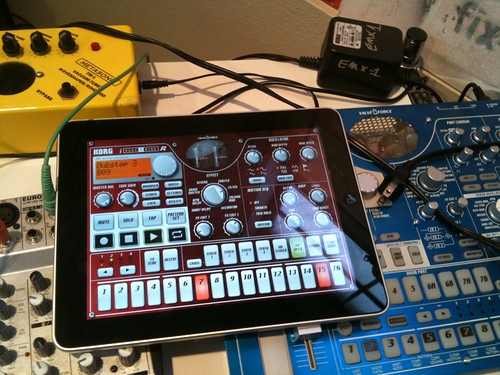
I didn't even see the i-Electribe app coming. I have a real Korg Electribe as well. The iPad implementation is just stunning. (I also have both a real Korg MS-10 and a DS-10 cartridge for Nintendo DS. It's fun to have these real tools, and then have software representations of them in unusual places. A VST plug-in is just so boring compared to an iPad or DS surface, and both of those surfaces are far more fun to use on trains or patios than a laptop).

The iPhone has already proven itself as a fun and capable device for making music, visual art, and even for writing. It's like the universal pocket notebook, capable of capturing not just words and doodles and snapshots but also drum beats and synth sounds and singing and on and on and on. The quantity and quality of creative apps for the iPhone is part of what excites me about the platform. The iPad just adds to that excitement.

Labels:

5.3.10. iPad, Periodicals, and Purchase Options

Apple has announced an iPad ship date of Apr 3 for the wi-fi only edition, with the 3G model slated for late April. Pre-orders start next week.

I'm hoping for good magazine content, and I would be willing to pay. The web often sucks for magazine content as obtrusive advertising, annoying pagination (often in support of more obtrusive advertising), and random encounters with pay walls get in the way. And it just sucks to read on a computer screen. It's not the LCD display, but the position and layout of the screen that is frustrating.

I've had subscriptions to The Economist, The New Yorker, and Harper's in the past, and I'm starting to miss them as I've been trying to make more time for reading. The weeklies, especially, are the ones I would like to have electronically if I could pay on a month by month basis. Sometimes it's hard to keep up when life gets busy, and those weekly magazines can pile up quickly.

Finally, I'd love for the magazines to work offline. Then I think I could totally buy into the wi-fi only iPad. I'm already sold on the iPad, just can't decide which model to get. I don't leave the house or travel too often, and the iPhone is often good enough when I am out like that. But having the 3G as a pay-as-you-go option for the iPad could be handy on those occasional small trips.

Still, I think that when I take the train from SLC to DEN later next month, I will be much happier with traditional books and cameras than with a gadget, no matter how cool the gadget is. It's nice to just turn things off for a couple of days.

I think I just talked myself into the wi-fi only iPad.

Labels: ,

3.3.10. Python Buildutils for local release management

Earlier today, I saw a question on Twitter asking "is there some setuptools extensions for uploading a sdist to a server over scp?" I responded with a "yes - we use buildutils' publish command for that."

Buildutils is a collection of useful extensions to Distutils. It hasn't been touched in a while, but it mostly works. It adds some commands like "stats", "pyflakes" (useful, but does not work with recent versions of PyFlakes), and "publish", which allows you to upload a release via SCP or SFTP.

The "publish" command is an extension that must be configured explicitly, so we do it in our 'setup.cfg'. We have a setup.cfg template that we use for all of our packages that uploads releases into one big directory. It looks like this:

; Enable the buildutils publish command
[global]
command_packages = buildutils.publish_command

; Set the destination of the publish command
[publish]
dist_dest = scp://@internalserver/path/to/releases/

; In one command, generate a distribution and checksum,
; upload them, and then clean out the build-related turds.
[aliases]
mkrelease = sdist checksum publish clean --all

We also use zc.buildout in-house, and I've been using that to ensure that I have Buildutils and setuptools-git (uses what's tracked by Git to generate the Manifest of files to include in the distribution package). In our buildout configs, I usually have a 'devtools' section that looks like this:

[devtools]
recipe = zc.recipe.egg:scripts
interpreter = py
eggs =
    current.package [test]
    buildutils
    setuptools-git

With the above, I get a 'bin/pbu' script that has the Buildutils and setuptools-git extensions installed. 'pbu' is a convenience command-line tool from Buildutils that is basically shorthand for 'python setup.py'. Using Buildout like this, I just ensure that the tools I need to generate and publish a distribution are available, no matter what machine I'm using. It's not needed, but I just find it convenient, particularly when other developers in our company need to generate a release from their machines and may not have remembered to install something like setuptools-git.

Labels: ,

16.10.08. Leaps and Pains (or - changing development/deployment and scm tools to more closely realize the component architecture dream)

A year or more ago, I was really struggling with zc.buildout, a Python based tool for building out "repeatable" deployments. Buildout makes setuptools actually usable, particularly for development and deployment of web apps, although there are many other uses.

Buildout keeps everything local, allowing one app to use version 3.4.2 of one package while another app can use 3.5.2. But more than just being an 'egg' / Python package manager, it can do other tasks as well - local builds of tools (from libxml to MySQL and more), again allowing one app to build and use MySQL 5.0.x and another app to use 5.1.x; or just allowing an app to be installed onto a new box and get everything it needs, from web server to RDBMS to Memcached and beyond. We don't use all of these features (yet), but it's a nice dream.

Already it's very nice to be able to make a git clone of a customer app, run buildout, and then start it up. Buildout will put setuptools to work to ensure that proper versions of dependent components are installed (and, quite nicely, it's very easy to share both a download cache and a collection of 'installed eggs' - multiple versions living side by side, with individual buildouts picking the one they desire).

But it was not easy to get to this golden land. Prior to using Buildout, we'd check our code out of our CVS repository. Our customer apps were just another Python package, nothing special (not an application, and - more importantly - not packaged up in 'distutils' style). As we started to make more and more reusable parts, we had to do a lot of checkouts; and so I wrote a tool to help automate this checkout process. It would also check out other third party code from public Subversion repositories; all because it was easier to check out a particular tag of 'SQLAlchemy' or 'zc.table' than to try to install them into a classic-style Zope 3 'instance home'.

But it was getting harder and harder to keep up with other packages. We couldn't follow dependencies in this way, for one thing; and it required some deep knowledge of some public SVN repository layouts in order to get particular revision numbers or tags.

'Buildout' promised to change all of that, and offer us the chance to use real, honest-to-goodness distributed Python packages/eggs. But getting there was so very hard when there are deadlines beating you down.

I took a lot of my frustration out on both Setuptools (which is so goddamn woefully incomplete) and Buildout. But the fault was really in ourselves... at least, in a way. As mentioned above, it was easier to just checkout 'mypackage' into$INSTANCE_HOME/lib/python/mypackage than to figure out the install options for distutils/setuptools. As such, NONE of our code was in the Python 'distutils' style. We put some new packages into that style, but would still just check out a sub-path explicitly with CVS just like we were doing with public SVN code.

Part of the big problem that we had which made it so difficult was that we had hung onto CVS for, perhaps, too long. And doing massive file and directory restructuring with CVS is too painful to contemplate. But moving to Subversion never seemed worth the effort, and so we held on to CVS. But I knew I'd have to restructure the code someday.

Fortunately, Git arrived. Well, it had been there for a while; but it was maturing and quite fascinating and it offered us a chance to leapfrog over SVN and into proper source code management. Git is an amazing tool (perhaps made more so by being chained to CVS for so long), and it provided me with the opportunities to really restructure our code, including ripping apart single top-level packages into multiple namespaced packages (ie - instead of 'example' being the root node with 'core' and 'kickass' subpackages, I could split that into 'example.core' and 'example.kickass' as separate packages and Git repositories while keeping full histories).

For a while, I used Git with its cvsimport and cvsexportcommit tools to clean up some of our wayward branches in CVS, while starting to play with Buildout. I was still struggling to get a Zope 3 site up and running using our frameworks. And here... well, the fault was partly in ourselves for having to go through fire to get our code into acceptable 'distutils' style packages, which made learning Buildout all the more hard. But the available documentation (comprehensive, but in long doctest style documents) for some of the Zope 3 related recipes was very difficult to follow. Hell - just knowing which recipes to use was difficult!

But after many months of frustrated half-attempts, often beaten down by other pressures, I opened a few different tabs for different core Buildout recipes in my browser and furiously fought through them all... And boom! Got something working!

Unfortunately it was one of those processes where by the time I got out of the tunnel, I had no idea how exactly I had made it through. One of my big complaints as I was struggling was the lack of additional information, stories of struggle and triumph, etc. And there I was - unable to share much myself! I can't even remember when I was able to break through. It's been quite a few months. Just a couple of weeks ago we deployed our last major old customer on this new setup; and we can't imagine working any other way now.

'Git' and 'Buildout' have both been incredibly empowering. What was most difficult, for us, was that it was very difficult to make the move in small steps. Once we started having proper distutils style packages in Git, they couldn't be cloned into an instance home as a basic Python package (ie, we couldn't do the equivalent of cvs checkout -d mypackage Packages/mypackage/src/mypackage and get just that subdirectory). And we couldn't easily make distributions of our core packages and use them in a classic Zope 3 style instance home (I did come up with a solution that used virtualenv to mix and match the two worlds, but I don't think it was ever put to use in production).

So it was a long and hard road, but the payoffs were nearly immediate: we could start using more community components (and there are some terrific components/packages available for Zope 3); we could more easily use other Python packages as well (no need to have some custom trick to install ezPyCrypto, or be surprised when we deploy onto a new server and realize that we forgot some common packages). Moving customers to new server boxes was much easier, particularly for the smaller customers. And we can update customer apps to new versions with greater confidence than before when we might just try to 'cvs up' from a high location and hope everything updated OK (and who knows what versions would actually come out the other end). Now a customer deployment is a single Git package - everything else is supplied as fully packaged distributions. It's now very hard to 'break the build' as all of the components that are NOT specific to that customer have to come from a software release, which requires a very explicit action.

Labels: , , , , ,

1.10.08. Giddy-up 401, File Uploads, and Safari

I've recently been doing some work to support ZODB 3.8 BlobFiles in our Zope 3 based sites and applications. Doing this brought me back around to seeing some behavior I've seen in the past and probably learned to ignore: uploading a large file from Safari using a basic HTML form (with proper encoding type, POST, etc) seems to take inexplicably long. Even worse - once behind Apache, you might not get an expected response, if any. You might get a 'timed out' response, unsure if the app server has everything and will finish the request/response cycle on its own.

It turns out that Safari does not eagerly send along authentication information along with each request when logged in with Basic Auth. When it does, it seems to have a very short time window.

So say you're logged in to your application with basic auth (for better or worse). The normal pattern is that when encountering an unauthenticated situation, Zope will challenge with a 401 status code and the WWW-Authenticate header (or something like that - I'm away from all specs right now). If you're not logged in, then you get the basic auth dialog box and send along the credentials. If you are "logged in", then the browser doesn't ask for credentials again, but just sends them along.

The downside is that this causes a request to be repeated. And if you just tried uploading a 5 MB file, then that whole file has to be re-submitted to make the full request.

It's the right thing to do with the basic (ha!) information at hand - trying to post all of that data in a single request. But Safarishould recognize that it's submitting to the same server (if not the same URL!) and should automatically include the auth headers. Safari seems to do this, but only on requests in very short windows.

Firefox, on the other hand, seems to have a much longer window in which it will send the credentials along automatically on the first request, instead of waiting for the challenge.

I don't know how other browsers do it. I'm not sure what the spec says, if anything. Glancing at O'Reilly's "HTTP - The Definitive Guide" didn't seem to give any indication of whether it's better for the client to assume that it should send the authentication tokens along with each request back to the same server, or if it's better for the client to hold off on constantly sending that info along unless challenged.

Most of the time this doesn't really seem to matter - it's not something end users typically see as it goes by fast enough to rarely be noticed. Of course there are other ways of getting credentials (cookies, sessions, subdomain/remote ip mapping, etc) which we often use on the main public-facing side of our sites. But for content management and admin, Basic Auth is such an easy fallback, especially in a framework like Zope (1, 2, or 3) which has long had a strong security story and would automatically handle this crap for you way back in the days of Bobo (1996, if not earlier).

It's just an annoyance. Glad I nailed it down to this: uploading large files with Safari (I think IE is, or was, similar) to basic-auth protected sites often can time out because the browser posts once, gets the 401-Unauthorized challenge, and does the post again - this time with the auth info.

Solutions:

  • don't use basic auth for sites that expect moderate to heavy uploading via forms.
  • recommend and/or use browsers that send the auth token along more often in the first request.
  • provide better interfaces for uploading files; providing better communication with the uploader about status, and perhaps having a better interface into the destination web app. Fortunately there are appear to be some free and open solutions out there already.

Wheee!

Labels: , ,

3.9.08. New Blogging Pastures

With a fair amount of success, I've pulled in the entries from the old Griddle Noise into a Squarespace account. I've long been dissatisfied with Blogger... It was good enough for a free service, I guess, but I just couldn't take it any more. It was hard to use Markdown, and it was hard to use its "wysiwyg" editor on Safari. Results were unpredictable. So I'm giving Squarespace a try.

It's really quite a nice service, and it will definitely do for now. The big issue is to either:

  • Make time to write
  • Write smaller

So head over to eucci.squarespace.com/griddle-noise. Gods and time willing, I'll get around to knocking out my tech thoughts again on topics such as:

  • Python
  • Zope 3 Component Architecture
  • Buildout and the realization of the component dream (almost)
  • Git
  • Object publishing
  • etc...
25.7.08. Remembering Pausch

There are three things that I remember about IPC 8 (International Python Conference 8), besides it being the only Python conference which I've had the luxury of attending.

  1. Riding from Fredericksburg to somewhere outside of DC in a major Virginia snowstorm, only the first or second such snowstorm I had seen since moving to the area in late 1997.
  2. Meeting Tres Seaver.
  3. The final keynote, masterfully given by Randy Pausch.

Pausch, who passed away earlier today (July 25, 2008), was charismatic, smart, and opinionated, and his keynote was funny and engaging. I must admit that I forgot Randy's name, but I'll also gladly admit that many of the points he made have remained with me and I still think of them often. There are even a couple of anecdotes which I repeat to others. Not many people can give such memorable speeches and presentations. Thanks, Randy. I'm glad to have met and heard him in person once, and wish I had been able to do so again to thank him for some great insights and inspirations.

16.7.08. OmniFocus Revisited

I've been using OmniFocus for a while now on my Mac, and made occassional use of it's predecessor, Kinkless GTD. As an implementation of the "Getting Things Done" method, or just as a personal "what am I doing?" manager, OmniFocus 1.0 was pretty good. I, personally, liked it better than the alternatives I tried, but some of that may be due to familiarity with the OmniOutliner heritage. And OmniOutliner remains one of the greatest Mac OS X applications ever written. I believe it's one of the greatest outliners ever written. Sure, it doesn't have Mind Mapping support and it can't run a slideshow (although its data can be exported to OmniGraffle or Keynote). OmniOutliner is a joy because it's fast, beautiful, ridiculously easy to use, while still having a fair amount of power and flexibility. Kinkless GTD was actually a set of AppleScripts that made OmniOutliner act like a specialized GTD application (which OmniFocus now does natively).

But when it came to OmniFocus, I only used it at work, and even there I only used it intermittently. But with the 1.1 "Sneaky-Peek" version of the desktop client (still under development), OmniFocus supports synchronization via MobileMe or any WebDAV server. This not only enables me to share this information between the office, home, and the rarely used laptop, but it enables sharing with the awesome new OmniFocus for iPhone.

Second only to the iTunes Remote, OmniFocus for iPhone is the coolest mobile application I've seen so far on this young platform. OmniFocus for iPhone (or iPod Touch) can synchronize over Wi-Fi, Edge, or 3G. That alone makes it very useful. Cooler still is that it's location aware. "GTD" has a strong concept of contexts. A project may require picking up supplies at an office supply store, assembling at home, and mailing out items at the post office. With OmniFocus, you can add location information to any context. This location information may be based on where you currently stand (using Location Services), on a manually entered address, on an address from a Contact record, or on a business search. Then when looking at the "By Location" screen in OmniFocus, available actions get grouped by their location in relation to where you currently stand. "Grocery Store: 1 Mile; Post Office: 3 Miles..." Very Cool.

This is the first electronic implementation of GTD that actually appears usable. Even if you don't follow GTD religiously (I certainly don't), the projects/contexts combination is an effective way of organizing actions. The location-aware contexts in OmniFocus for iPhone help answer the question "what can I do based on where I am?" When used well, it should make it harder to forget those little items that you needed to do or pick up for some small project.

Labels: , , ,

12.7.08. iPhone 2.0 and the iTunes Remote

Like many others, I was bit hard by the server failure that crippled the big iPhone 2.0 update process this morning. It robbed me of said morning, and I opted to take the day off work. It's been a bit of a tough week, and last night I did my first show in months, and had company over until past 3AM afterwards. Since things are about to get crazy at work, I decided that I needed a day to catch back up on sleep while waiting for my phone to work again.

A few hours later, the phone worked.

One of the most surprising and enjoyable elements is the iTunes Remote. Full and comprehensive access to my fairly large iTunes library on the iMac: all playlists, etc, with the ability to control volume, jump around in songs, see artwork - just like the 'iPod' iPhone application! Sometimes, particularly in the morning, I might turn on Front Row and carry the nice little Apple Remote around with me to have some control over songs while getting dressed in the upstairs loft, but using the remote from up there often required reaching far over the edges and trying to point the remote in the direction of the iMac, just to be able to skip forward a track or two.

But now, I can control it all from the iPhone, without needing a line of sight! In fact, this might be what pushes me to pick up an Airport Express or two (one for speakers in said upstairs loft, maybe one to bring music out on the patio or the bathroom). Full access and control of 29 and a half days of available music playable out of real speakers and controlled by an untethered iPod size device - beautiful.

Labels: , ,

10.6.08. Looking to a Snow Leopard Winter.. er... Summer.

I’m a bit excited about Mac OS X “Snow Leopard”. Few user-visible changes, with a focus on fine-tuning and giving developers better access to capabilities of modern hardware. It appears that Apple’s experience in making a lightweight Mac OS X “Core OS” for the iPhone will also drive this release.

One of my favorite operating system releases was OS/2 “Warp” (OS/2 3.0). OS/2 2.0 was a fascinating creature - completely divorced from Microsoft, OS/2 2.0 delivered an aggressively object-oriented runtime built on SOM (a desktop implementation of some of CORBA 1.x, I believe). It was radically different from Window 3.x. It’s hardware requirements were a bit high for the times, but it was a solid OS.

What impressed me about OS/2 3.0 “Warp” was that it’s system requirements were in some cases significantly LESS than OS/2 2.0, while performing better. I don’t know of any majoro user-visible adjustments (this was before operating system releases became the giant dog’n’pony shows that have been expected since both Windows 95 and Mac OS X).

I think that even though desktop and laptop hardware continue to get better, the rapid growth rates seen between 1995 and 2005 are slowing down. Now the pressure is on connectivity, portability, and storage storage storage for all of those mp3s and movies and photos. I think both Windows XP and Vista, along with Mac OS X 10.4 and particularly 10.5 have been a bit cavalier about their usage / expectation of resource availability without doing a good job of cleaning up afterwards. Removing a ‘TemporaryFiles’ folder used by Apple’s “Soundtrack Pro” program gave me back 25 GB of disk space. 25GB! I expect that when doing lossless audio work, I’m going to leave a lot of turds behind. But not that many. That’s an accumulation over only a few months. Now some of that may have been due to crashes brought on by the instability in Mac OS X 10.5.2’s audio subsystem (particularly in relation to some USB audio devices). But still - 25 gig! Over the course of just a couple of months!

I think that Apple is at a good place to do this. Good housekeeping is required - otherwise you end up with situations like Mac OS ‘Classic’ or even Windows Vista, where there is so much old baggage, bad hacks, outdated mentalities, etc, all in play; it makes it difficult to move the platform forward. Some companies and developers have always been mindful of this, electing to keep their products lean and fast, always (see Ableton Live - hands down, the most impressive audio application out there). Other companies don’t support that philosophy for whatever reason - backwards compatibility, rush to market, a combination of the two, etc.

This far into the Mac OS X life cycle, there’s not many new dog’n’pony features to add. The API’s have stabalized, the developer tools offer more than they ever have (Interface Builder 3 is a terrific update), the Finder and Spotlight are actually fast and usable; applications and utilities from both inside and outside of Apple are going to really shine on Mac OS X 10.5 with all that it offers to developers. A new age of PDA’s are upon us, whether it’s a device like an iPhone, an ultra-mobile Asus Eee-PC style portable, or even the Macbook Air: secondary and tertiary devices are really taking off.

I think that an underlying aspect part of the ‘Snow Leopard’ plan is to allow such devices, made by Apple (naturally), to proliferate. When it was announced that the iPhone was built on Mac OS X, I was surprised - Mac OS X has been a pretty wasteful OS - or at least, one that would consume more resources than realized (often for caching, interestingly enough). A standard install is full of crap that may be useful, but often takes up space. How many gigabytes of printer drivers now? To take the fine tuning and resource management ideas from the iPhone variation of OS X into the main system is what I think will allow for Apple to finally make the Eee PC style portable that everyone wanted the Macbook Air to be.

I’m putting my money on some kind of small device, priced around $600-$800, coming out at or around the same time as Snow Leopard. Combined with Mobile Me and Snow Leopard Server’s increasingly Exchange-like feature set (but better priced and more understandable for small organizations), the ubiquitous-data-access capability is there.

Today’s full-featured laptops (MacBooks, Inspirons, whatever) are their own entities; my aging iBook gets used rarely as I just don’t have as much data or software set up on it, and it’s sometimes too big of a pain to keep in sync.

The XO and Eee-PCs (or whatever they’re called) are also separate from the rest of one’s life; useful as a fun or educational toy, or as a geek’s favorite gadget to see what they can get running on such a little device. Most of the other developments I’ve seen in this area have centered around “how cheap and how small can we make a laptop/portable that will run (Linux/Windows XP)”. But outside of education, if this is the only focus being given, then these companies are going to be making nothing more than the next round of casual gadgets that get tossed or buried after a few months - especially if a key factor of what made Palm devices so popular (for a while) is completely neglected.

The Macbook Air is deliberately designed as a complementary computer, using the master’s optical drive even. While sexy, I think the Macbook Air misses the mark on a few items. But I think it’s an indication of things to come - laptops deliberately designed to complement your main machine. Smaller devices, from the Palm to the iPhone, have done this. And they’ll also be designed to work with your (or your company’s) data, which the Blackberry has done (and the iPhone will do when its new ‘enterprise’ support rolls out). Getting this onto other devices, without being constrained to an enterprisey system like Notes or Outlook, is where things really appear to be headed. It’s certainly something that I’d like to have. And the more I look at Snow Leopard, the more I believe that Apple is sneaking ahead of the crowd into delivering this into the hands of consumers. They’re skating to where the puck is going to be.

Granted, Windows “Live Mesh” looks to be heading in the same direction. But after Vista, Microsoft needs to reign in the Windows kernel and distribution. Windows Server 2008 and some of what has been leaked (or speculated) about “Windows 7” seem to indicate that Microsoft is aware of this. And how could they not be? But I think that even with their vast resources, Microsoft has a long ways to go to catch up - even though it appears that they’ve been playing in this area (tablet computing, ultra-mobile pc’s) for a while. A deep cleansing of the Windows core is desparately needed. And then a deep re-implementation of the UI may be needed.

Apple had a terrific luxury (and great idea) with the iPhone. While sharing the same kernel and many same APIs as the desktop (and server) Mac OS X, it has an entirely new UI that is dedicated to its intended use. Windows CE, on the other hand, tried to bring the Windows 95 look and feel to tiny devices and now I’m really not so sure it was a good idea. It allowed Microsoft to punt on some usability and design issues by falling back on the way things work on the desktop. I still see this, even in some of the newest and fanciest “iPhone killers”: some of these have a very fancy launcher app; some even have a very fancy phone and contact app that spins around in 3D and responds to gestures. But then, suddenly, you’re in the tiny-font, tiny-scrollbar, pixelated, stylus-driven world of the interior. It’s like going into a grand building like The Plaza (back when it was a hotel, at least), and finding the inside full of grey linoleum floors, flickering flourescent lights, and cinderblock walls reminiscent of an old hospital or elementary school. Quite the let-down (a lot of courthouses are like this, actually).

I also think Apple was smart to NOT have an SDK at the launch of the iPhone. I bet they would have liked one, but I think the iPhone had to launch when it did, and perhaps not-quite-everything was ready yet. If one looks back at the classic Macintosh and Palm devices and operating systems, you see systems that pulled of very clever hacks to fit within the price and size constraints of the time. The Lisa was much more than a $10,000 Macintosh - it had many features from power management to an OpenDoc style multi-tasking document based UI. But to offer those features, it was priced well out of reach. The Macintosh squeezed as much as it could down into a 128K Ram machine, and the compromises they had to make in order for that to work would end up haunting the company until its near-death. The Palm, too, took the ideas of the Newton and other tablet devices and stripped them down into a size and price point approachable by the masses. And like Apple, the design decisions that were made to make that work have crippled the Palm OS so much that even Palm sells half of its devices with Windows CE (or whatever CE is called these days). Those compromises are bad enough to deal with on your own - but when having to support third party developers and then provide some degree of backwards compatibility, it can just kill you.

By taking the time to put the SDK into beta, to polish up the OS and its APIs, I think Apple will avoid a repeat of that story. Instead of having to support every little exposed compromise that may have been made to get the iPhones out the door last June, Apple could tidy them up. By using a beta period for the SDK and next major release of the software, Apple can respond to feedback and make changes and adjustments before they become permanent.

Labels: , , , ,

29.4.08. The Hafler Trio, Dislocation

I just received the Korm Plastics re-release of The Hafler Trio’s Dislocation. I’ve been waiting for this one more than any of the others thus far. The Korm Plastics re-issue series is a magnificent undertaking wherein a large chunk of Hafler Trio material that has long been unavailable or available only in “wrong” versions is being re-issued in definitive form. The packaging for each has been stunning: each release in a booklet sized “wallet” form, with full booklets, posters, post-cards, and more. The releases are all wrapped in a vellum (or vellum-like) material with additional writing. The packaging alone is of the highest grade - far higher than what these releases saw in their original forms (even ones that were also in wallet/booklet form).

I first became interested in The Hafler Trio when the Hafler Trio / Nurse With Wound collaboration was issued on CD, which I picked up in … 1995? 96? I was a big Nurse With Wound fan at the time and, thus, gobbled this one up. I was blown away. While I recognized many Nurse With Wound sounds, the overall production and flow was of a different nature. Similar, yes, in it all being (perhaps) some form of Musique:Concrete. It just sounded a bit more … polished? Subtle? In any case, it remains a personal favorite.

At this time, I was 20-21 years old, poor, bla bla bla. Most of these CDs that I liked were all import and out of my price range (when they could even be found). But one day around this time, I was in a used cassette shop, and came across the original Hafler Trio Dislocation cassette. For $4! It was a Staaltape release, in a bag (my second one - a couple of years earlier I picked up what turned out to be a fairly rare Legendary Pink Dots cassette in the same style of packaging, mostly because I didn’t yet have a CD player). Not knowing much of The Hafler Trio at the time, I knew that this was something I should get, as it was unlikely that I would easily come across such a find for years to come.

I liked the tape, but I admit that it took a while to grow on me. It was very quiet and subtle, with a lot of field recordings. It was something that I enjoyed, but I found that I had to give it more attention than similar recordings from other artists. I loved having it on tape, though. It heightened the “found sound” feeling. And I loved what was inside the bag (besides the unlabeled cassette). Inside, there was heavy paper with fragments of maps on one side and various clippings on the other. It was far more interesting than some of the cheap shock imagery (or just cheap packaging) used, again, by somewhat similar artists that interested me at that time.

However, as fascinating as it all was, that would be it for me and The Hafler Trio until 3-4 years later when, after moving to the east coast, I’d find a copy of A bag of cats at Printed Matter’s old Wooster Street location in NYC. After that find, I’d lap up whatever I could.

So Dislocation has been held in a special place, and I’d been watching that Korm re-issue series list tick along, waiting for this one to show up. Now it’s here. And it’s much more impressive than imagined. First, the booklet is a new heavy-stock foldout variation of the same maps found within the cassette version. When folded up… I can’t even describe it, really. It’s just beautiful and very different from the booklets that have accompanied the rest of the re-issue series.

But what’s really been impressive has been the audio. This time, I have no prior CD to compare; only tape. And I love tape. But now, more than any other re-issue done thus far, I can really see how well done the audio restoration has been. Remarkably well done. This album deserved (and required) it. As much as I loved the “found sound” fuzzy feeling I got from the tape, there are a lot of nuances here that I may now appreciate. Goddamn well done.

Labels: , ,

7.4.08. What a DVCS gives me
I've seen some posts floating around about what a distributed version control system might give you. For me, these are the key elements:
Committing changes is separate from sharing. While the phrase "you can edit on a plane!" gets thrown around quite frequently, I think this is the far more important aspect of that vision. As a developer, you don't always know how a particular path of development might impact the code base. With a purely centralized system, you have to think first about where a path may be taking you as it could affect everybody else. Time and time again, I've seen developers work without any revision control safety net for days or weeks at a time because they don't want to "break the build", and they don't have time to look up the policies for branch naming, merging, etc. Not that such a thing should take a long time, but when under pressure, it's the last thing one wants to deal with. And the untracked changes keep getting bigger, and bigger. And when I say "I've seen developers..." here, I include myself.
With a DVCS, I can commit immediately. I took heavy advantage of this on a recent project where the set of work for which I was responsible was in no state to be set up on other systems. It required new configuration and possibly new tool installations and I didn't have time to help everyone else install and update their sandboxes. They didn't need my code anyways. Instead, I was able to pull in and rebase my work on updates from my co-workers while my personal branch was in development. When my code was mature, it was easy to merge into a more centralized branch. Very easy. In fact, it was just a fast-forward (in Git parlance), since I was rebasing my changes on top of those by my colleagues.
Again, this is possible with a purely centralized system, but it would have required me to realize the significance of my changes and their impact on others. My sandbox was in a "guts on the table" kind of state. Just about every commit I made was stable, but sharing them would have made it harder on other team members to do their work due to the changes made in tool and configuration dependencies.
In essence, a DVCS inverts the control back to individuals. As a developer, I can commit my changes whenever I want. With a purely centralized system, I have to think more about what I'm about to commit, since it immediately impacts all other developers.
A DVCS encourages experimentation. Being able to commit my changes whenever I want and being able to make local branches so easily makes it easier for me to start playing around with new ideas. Whether that's doing a big refactoring or restructuring of code, experimenting with a new feature of third party library, or working on updating the code to run well on the latest release of Foo, I know that I can experiment and SAVE those experiments in small chunks, without impacting anybody else. I can choose when and how I want to share my results. I can choose to throw my experiment away and not have to be reminded by its grizzly branch name for years to come.
We have an internal toolkit that bridges SQLAlchemy and Zope 3 and provides various other useful features and integrations. Late last year, I started looking into updating the code to work with SQLAlchemy 0.4 and to also clean up some ancient hacks. We were still using CVS at the time. I can't remember when I made the branch, but I knew at some point that I was heading down a potentially long path and that a branch would be required. Other priorities were coming up and I'd have to leave this work aside for a while.
Well, there's 2-3 days of feverish work, all held hostage within a single check-in. I've been wanting to pull some features out of that branch and into the current mainline branch, but since it's all in one big check-in, I can't do that easily. This is the second time I've done that (the other time was on a feature branch that lead to a dead end, but along the way I had some good ideas that I'd love to be able to extract now).
If I'd been using Git, I would have been making more commits, more frequently, and in much smaller sizes. Using Git, I would then be able to quite easily cherry pick individual commits out of that branch and apply them to the mainline. 
Finally, a DVCS makes it easy to vet changes through the system. We don't have to give new employees the keys to the kingdom, particularly when their skill set is focused on a specific area. Instead, the code can go through review channels. They make commits in their local repository, and tell someone (like me) that they've made some changes. Using Git (or any other tool - but Git's named remotes makes this hella easy), I can pull in changes from their repository, verify that they're good, and push them to the canonical repository. I can merge them into other branches, if required.
Imagine this in a team situation: team members can share their repositories with each other as needed, giving each other chances to do code reviews and fixes before sharing those changes with the larger group or division; all without requiring permission to touch the central repository. Suddenly whole new workflows open up, based on the "networks of trust" inherent in all of us: a team leader collects commits from their team, and shares those changes with other team leaders. Those team leaders pull together changes from all of their teams (while sharing said changes across team lines) and push those on to a QA / Testing division. The QA / Testing division then puts their seal of approval on things by being the ones who control pushing to the "canonical" repository from which builds are based.
There's just so much more that can be done with a DVCS, and we're in an age now where there are very usable and useful tools for this job. A DVCS restores individual responsibility, encourages experimentation, enables adaptive workflows, and I believe it fits more naturally into how we humans organize our interactions. Whether this is in a rigidly defined corporate structure or a loosely connected set of worldwide open source contributors, the peer to peer nature combined with getting the whole repository enables people to step up and do bold things without having to go through channels to get any coveted "write access".

Labels: , , ,